Introduction
Note
This documentation describes my personal NixOS configuration. It is highly tailored to my specific hardware and workflow.
This repository serves as a central hub for all my NixOS and Home Manager configurations. It is built with modularity and reproducibility in mind, allowing me to manage multiple devices from a single source of truth.
Important
While you are free to explore and copy parts of this configuration, be aware that the
hardware-configuration.nixfiles are tied to my specific devices. Using them directly on your machine will likely cause boot issues.
However, you are more than welcome to use individual modules, concepts, or approaches in your own setup. Feel free to yank anything you find useful!
Visuals
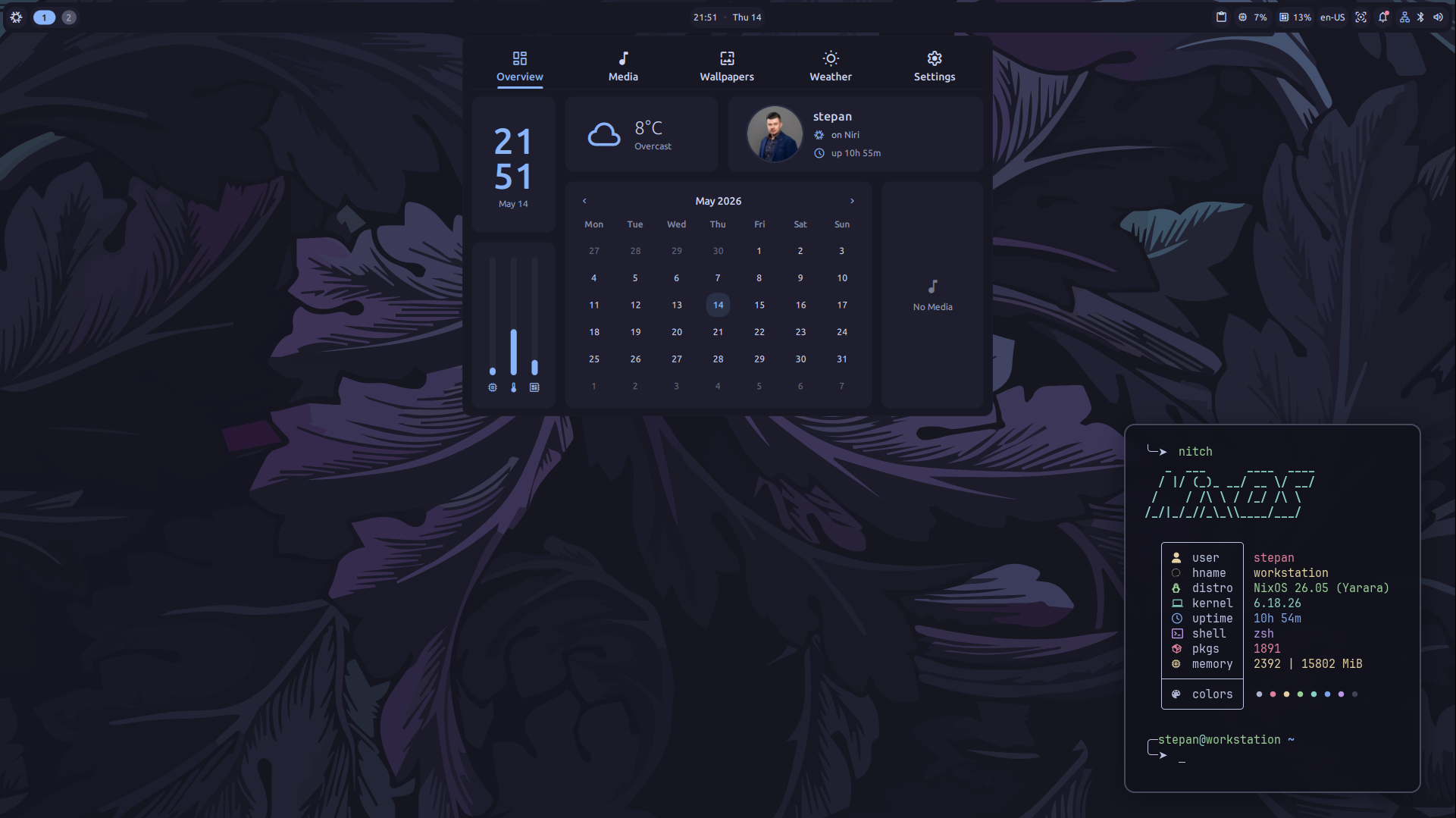
Core Stack
The current desktop environment is built around modern Wayland-native tools and highly customized CLI utilities.
| Category | Component |
|---|---|
| Display Manager | greetd with mdgreet |
| Compositor | Niri (Scrollable tiling Wayland compositor) |
| Desktop Shell | Dank Material Shell (Bar, Control Center, etc.) |
| Shell | Zsh |
| Terminals | Kitty, Alacritty |
| File Managers | Yazi (CLI), Nautilus (GUI) |
| Editors | Neovim (via nvchad), Zed, VS Code |
| Browsers | Firefox, Google Chrome |
| Secrets | sops-nix with age |
| Theming | Catppuccin (Mocha variant) |
Repository Structure
hosts/: Machine-specific configurations and hardware definitions.homes/: User-specific Home Manager profiles and dotfiles.modules/: Shared logic for desktop, services, and system defaults.raw/: Raw configuration files and assets used by various programs.secrets/: Encrypted sensitive data managed via SOPS.